
Best Peptide Tracker App in 2026: PeptideKit vs the Rest
The best peptide tracker app in 2026: PeptideKit combines vial inventory, half-life and bloodwork tracking, injection sites and Apple Health with no account and iCloud sync. Here's how it stacks up against Smart Peptide Tracker, PeptIQ, Regimen, PeptidePal and Pepdex.
The App Store is crowded with peptide trackers now, and most of them make you pick between features and privacy. You can have half-life charts and bloodwork, or you can keep your health data off someone else's account system. Rarely both.
Full disclosure: we make PeptideKit. But here's why we built it, and why we think it's the best peptide tracker app you can get on iPhone in 2026.
The Short Answer
PeptideKit is our pick. It's the only app we compared that gives you the full tracking toolkit, needs no account, and syncs through your own iCloud. Competitor details below come from each app's App Store listing, checked in September 2026.
| App | Half-life, bloodwork, sites and Apple Health | Low-stock vial alerts | iCloud sync | Free tier |
|---|---|---|---|---|
| PeptideKit | All included | Yes | Yes | Free download, optional Plus |
| PeptIQ | Some features Pro only | Yes | Not listed | Pro subscription for advanced features |
| Regimen | Yes | Yes | Not listed | One compound only |
| Smart Peptide Tracker | Half-life not listed | Yes | Not listed | Free core, paid Premium |
| PeptidePal | Bloodwork and Apple Health not listed | Yes | Not listed | Free, subscription |
| Pepdex | Library only | Yes | Not listed | Tracking needs Pro |
Why PeptideKit Wins
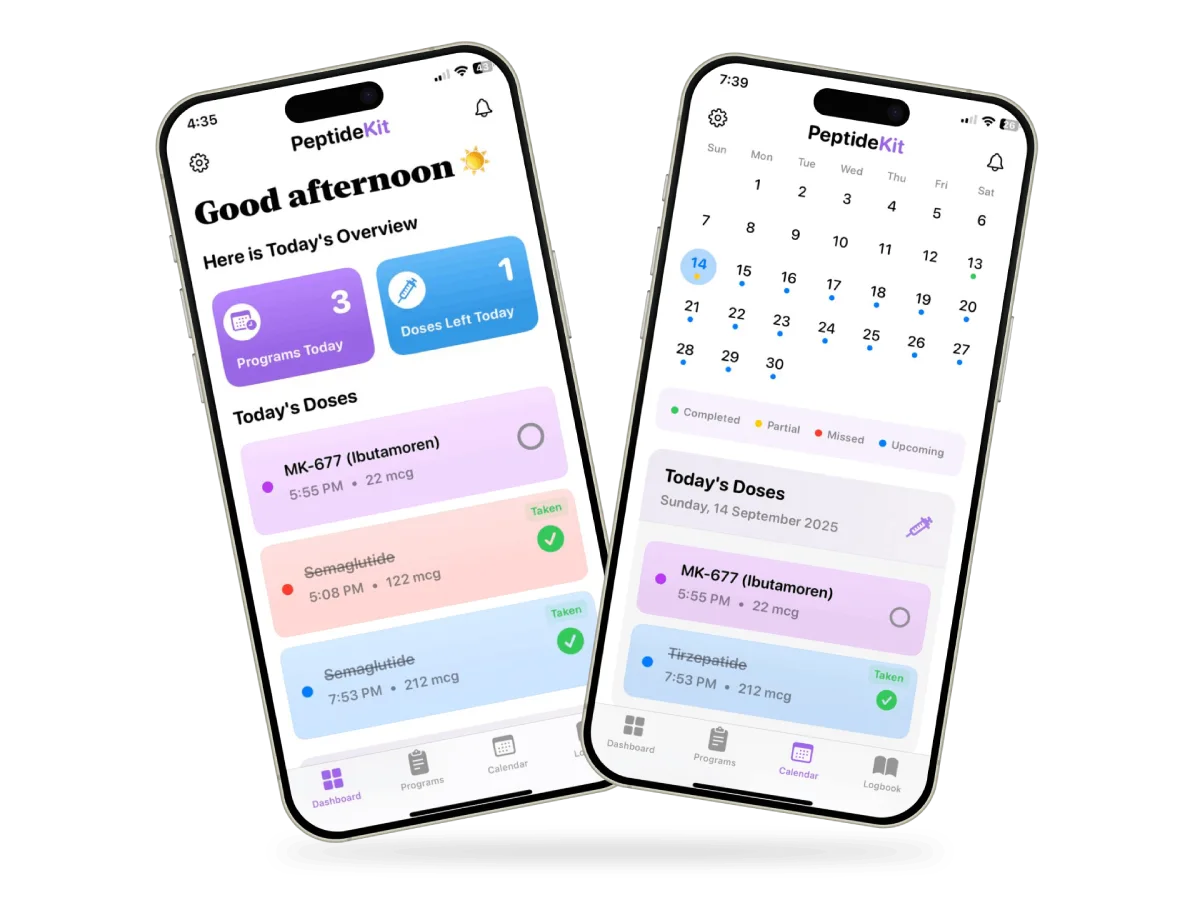
Everything in one app. Protocols with flexible schedules, dose reminders, a colour-coded calendar, and journaling linked to each dose. Then the extras other apps often charge for or skip:
Automatic dose calculator. Enter your vial and your prescribed amount, and PeptideKit works out the syringe units for you.
Vial inventory with low-stock alerts. Know what's left in every vial and reorder before you run out.
Half-life tracking. See how each compound builds up and clears between doses.
Bloodwork tracking. Log lab results right next to your protocol.
Injection site tracking. Rotate sites without keeping it all in your head.
Apple Health integration. Your health data and your protocol in one place.
Peptide research. Look up a compound without leaving the app.
Private by design. There's no PeptideKit account to create. Your data lives on your device, works offline, and syncs across your iPhone, iPad, and Mac through your own iCloud. The App Store privacy label lists only usage data that isn't linked to your identity.
How the Others Compare
PeptIQ has plenty of features, but many of the best ones, including half-life and Apple Health, sit behind a Pro subscription that costs more than most competitors.
Regimen matches much of the feature list, but the free tier only covers one compound. It syncs through an account, and its privacy label lists health data and contact info as linked to you.
Smart Peptide Tracker is on Android and has a one-time Premium purchase, but it doesn't list half-life tracking, and its privacy label lists health data as linked to your identity.
PeptidePal doesn't list bloodwork or Apple Health, and its privacy label says some data is used for third-party advertising.
Pepdex has a well-graded compound library, but tracking requires Pro, and it doesn't list bloodwork, injection site, or Apple Health features.
What About a Spreadsheet?
A spreadsheet is free, but it won't remind you about a dose, warn you when a vial is running low, or catch a math mistake. One wrong cell and every number below it is off. If you run more than one compound, an app pays for itself in avoided errors.
Whatever you use, check its math once against the free peptide calculator.
Optimize Your Peptide Therapy Journey
Take control of your peptide therapy with PeptideKit - the comprehensive app designed to help you track, monitor, and optimize your treatment:
- Add peptide therapy protocols with custom schedules that work for you
- Easy dose logging with customizable reminder notifications
- Body change tracking to monitor your transformation
- Progress visualization with charts and trend analysis
Frequently Asked Questions
What is the best peptide tracker app?
For iPhone, iPad, and Mac, we recommend PeptideKit. It combines vial inventory with low-stock alerts, half-life and bloodwork tracking, injection site tracking, Apple Health, and an automatic calculator, with no account required and iCloud sync.
Is there a free peptide tracker app?
Yes. PeptideKit is free to download, with an optional Plus upgrade. Several other trackers also have free tiers, though some limit you to one compound or put tracking behind a subscription.
Is there a peptide tracker for Android?
PeptideKit is available for iPhone, iPad, and Apple silicon Macs. If you're on Android, Smart Peptide Tracker, PeptIQ, and Regimen have versions on Google Play.
Is there a peptide tracking app for desktop?
Yes. PeptideKit runs on Apple silicon Macs and syncs with your iPhone and iPad through iCloud, so your log is on your desk and in your pocket.
Should I use a peptide tracker spreadsheet or an app?
A spreadsheet works for a single, simple protocol. An app adds reminders, vial alerts, and a built-in calculator, which matters once you're running more than one compound.
The Bottom Line
If you're on Apple devices, PeptideKit gives you the most complete toolkit without handing your health data to another account system. Download it, set up your first protocol, and let it handle the reminders and the math.
Always consult with qualified healthcare professionals before starting any peptide therapy protocol. This information is for educational purposes only and does not constitute medical advice.
Related Articles
Cloudy Peptide Vial? When to Discard It and When It's Just Bubbles
Is your reconstituted peptide cloudy, foamy, or full of bubbles? What a clear solution should look like, what cloudiness can mean, why you shouldn't inject it, and how long mixed peptides last.
How to Reconstitute AOD-9604: Mixing Instructions, Vial Chart, and Storage
A plain-English guide to reconstituting AOD-9604 with bacteriostatic water, with a vial size chart for 2mg, 5mg, 6mg, and 10mg vials, storage rules, and what to do if it turns cloudy.